
Inside the work.
From the first brief to the systems behind it. Practical guides for people building and running software.

Find your next step.
Explore a topic, or search for a problem.
Search titles, topics, and the full text of every guide.
Guides organized around the decisions that shape software.
55 articles and updates

When does custom software make sense?
When to buy, when to build, and what it takes to own the result. A practical guide to choosing a first step.
Published 4 min read
How to write a software brief a team can actually use
A useful brief connects a problem to a decision. It gives a delivery team enough context to ask better questions without pretending every implementation choice is settled.
Published 5 min read
Design an internal tool around the next action
An internal tool earns its place by helping someone complete work. The most useful screen often makes the next decision obvious rather than presenting every available field equally.
Published 3 min read
Define the boundary before building an integration
Connecting two systems requires more than moving fields. The teams need to agree which system owns each fact, when changes become visible, and who resolves disagreements.
Published 3 min read
Decide what an application health check should prove
A running process does not necessarily mean users can complete their work. Health checks should answer specific operational questions without making the system less stable when a dependency has trouble.
Published 3 min read
Prepare a handover that lets another team operate the software
A handover succeeds when the receiving team can perform ordinary work and recover from a known problem without depending on the original developers being available.
Published 4 min read
Map the workflow before you automate it
Automation makes a process repeatable. Before investing in it, establish which steps are intentional, which exist because of current tools, and which nobody can explain.
Published 3 min read
Ask for the right information in a contact form
A contact form should gather enough information to route and answer an inquiry. Every extra required field should have a clear purpose in that first conversation.
Published 4 min read
Design a CSV import people can trust
A CSV file can look simple while carrying ambiguous dates, missing identifiers, and inconsistent categories. A useful import workflow makes those issues visible before they become application data.
Published 5 min read
Choose monitoring signals that explain user impact
Monitoring should help a team notice a problem and decide where to investigate. Collecting many numbers is useful only when someone can connect them to the service people depend on.
Published 5 min read
Record why an architecture decision was made
Architecture documentation is most useful when it preserves the context behind a choice. A diagram can show the current arrangement without explaining why it was selected or when it should change.
Published 3 min read
Choose a first release that answers a real question
A first release should make a useful task possible and expose an important uncertainty. A collection of disconnected screens can satisfy a feature checklist while teaching very little.
Published 3 min read
Use empty states to explain what happens next
An empty screen can mean several things: no records exist, a filter matches nothing, data is loading, or access is restricted. Treating all of them as “Nothing here” leaves the user to guess.
Published 4 min read
Make data exports useful outside the application
An export is a product interface used by another person or system. Its value depends on whether the recipient can understand the fields, reproduce the selection, and safely interpret the result.
Published 3 min read
Write a runbook someone else can follow
A runbook is useful when an operator can use it under pressure without already knowing the system’s hidden assumptions. It should connect a recognizable situation to a safe, observable response.
Published 3 min read
Make routine maintenance visible in the delivery plan
Software continues to require work after its first release. Maintenance becomes easier to manage when the team can explain what is being maintained and which operational consequence the work addresses.
Published 3 min read
Turn feature requests into problems you can solve
People usually request features in the language of the tools they know. The request is useful evidence, but it is worth understanding the situation that produced it before choosing an implementation.
Published 3 min read
Make approval workflows explicit
An approval is a decision with an owner, a scope, and a consequence. A checkbox labeled “approved” rarely describes enough of the process to support real operational work.
Published 3 min read
Make form submissions safe to retry
A browser can lose the response to a request that the server already processed. Retrying should help the person recover confidence without creating another order, inquiry, or job unintentionally.
Published 5 min read
Test a backup by restoring the application
A backup file existing is only part of a recovery plan. The team also needs to know whether it can retrieve the right copy, restore the data, and use the application afterward.
Published 4 min read
Review dependencies as operational commitments
Adding a dependency can save implementation work, but it also introduces something the team must understand, update, and operate around. Evaluate that commitment alongside the feature it provides.
Published 3 min read
Prioritize a backlog without pretending every score is precise
A backlog is a list of possible work, not a promise to complete everything. Prioritization is most useful when it exposes the reasons behind a decision and the uncertainty around it.
Published 3 min read
Show application status in language people can act on
A status label should help someone understand where work stands. Internal implementation terms can be accurate yet still leave the person unsure whether to wait, retry, or contact someone.
Published 3 min read
Decide how incoming webhooks become application work
A webhook delivers information from another system, but delivery and business processing are separate concerns. Define that boundary before using incoming events to change important records.
Published 3 min read
Prepare rollback before the release
A rollback plan should explain which changes can be reversed and which effects remain. Keeping the previous application image is useful, but it does not automatically reverse data or external actions.
Published 3 min read
Keep configuration understandable across environments
Configuration determines how the same application behaves in different environments. Unrecorded values and unclear ownership can make a release difficult to reproduce even when the code is identical.
Published 3 min read
Write acceptance criteria around behavior
Acceptance criteria turn an abstract request into behavior that people can inspect. They should clarify the boundary of the work while leaving room for implementation decisions.
Published 5 min read
Define what search needs to find
Search is a collection of product decisions about matching, permissions, and presentation. Adding a search box before defining those decisions can produce results that are technically valid and operationally frustrating.
Published 3 min read
Reconcile systems instead of assuming synchronization worked
A synchronization process can report successful requests while the two systems still disagree. Reconciliation asks a different question: do the records now satisfy the relationship the workflow requires?
Published 3 min read
Investigate a slow application before choosing a fix
“Slow” can describe waiting for a page, submitting a form, receiving a background result, or navigating a large list. Start by identifying the experience before deciding which component to optimize.
Published 3 min read
Define roles around responsibilities
Roles should describe what people are responsible for, not simply reflect the buttons that happen to exist today. A clear model makes access easier to explain and review as the application grows.
Published 4 min read
Run a discovery session that produces decisions
A discovery session should reduce a specific uncertainty. Bringing everyone into a room without a clear question often produces a long feature list and little shared understanding.
Published 3 min read
Give each dashboard a decision to support
A dashboard becomes useful when it helps a particular person notice a condition and decide what to do. Displaying all available metrics often makes that task harder.
Published 3 min read
Design an API around a business operation
An API should give its callers a clear contract for accomplishing work. Exposing every internal table directly can make that contract difficult to evolve and easy to misuse.
Published 3 min read
Design background jobs as visible work
Moving a task into the background changes when it runs, not whether it needs a clear outcome. A job should have an identity, a lifecycle, and an operational path for failure.
Published 3 min read
Plan the full lifecycle of a feature flag
A feature flag can separate deploying code from enabling behavior. It also creates an additional state the application must support, document, and eventually remove or retain deliberately.
Published 3 min read
Handle scope changes without losing the original goal
New information will change a software project. The useful discipline is to make the effect of a change visible before the team quietly absorbs it into the work.
Published 3 min read
Write error messages that help people recover
An error message is part of the workflow. It should describe what the person needs to know, preserve their work where possible, and offer a next step the system can actually support.
Published 3 min read
Plan for a supplier’s rate limits
An external service sets a boundary on how much work your application can request. The design needs to account for that boundary during normal operation, spikes, and recovery from an outage.
Published 3 min read
Write incident updates that support decisions
During an incident, people need to know what is affected, what they can do, and when they will hear more. A useful update separates observations from explanations that are still being investigated.
Published 3 min read
Build test data that represents awkward cases
Test data shapes what a team notices before release. A collection of clean, short, recently created records can make an interface or workflow appear more complete than it is.
Published 3 min read
Make uncertainty visible in software estimates
An estimate is a planning tool built from what is currently known. Its usefulness depends on explaining the assumptions that could change it, rather than presenting uncertainty as an exact date.
Published 3 min read
Make bulk actions inspectable and recoverable
A bulk action multiplies both useful work and mistakes. Its design should help people understand the selected records, the effect of the operation, and the outcome of each item.
Published 3 min read
Separate uploading a file from processing it
A successful upload means the bytes arrived, not necessarily that the file is usable. Model those stages separately so people understand what the system has accepted and what remains to happen.
Published 3 min read
Turn an incident review into useful follow-up work
An incident review should explain how the system reached an undesirable state and what would make a similar event easier to prevent, detect, or recover from. A timeline alone is not enough.
Published 3 min read
Use support requests as product evidence
Support conversations contain examples of where the application and the user’s expectations diverge. Organizing those examples can improve the product without turning every request into an immediate feature commitment.
Published 3 min read
Decide what should stay manual
A task being repetitive does not automatically make it a good automation target. Some work changes too often, happens too rarely, or relies on judgment that has not yet been made explicit.
Published 3 min read
Treat administration screens as part of the product
Administration screens shape how a system is supported and corrected. Leaving them until the end often turns routine operational work into ad hoc scripts and direct database edits.
Published 3 min read
Rehearse a data migration before the cutover
A migration rehearsal tests the procedure as well as the transformation. It should help the team understand the time required, the exceptions to resolve, and the evidence needed before switching users over.
Published 3 min read
Track email delivery beyond the send request
An email provider accepting a request does not guarantee that the recipient can read the message. Applications should distinguish the stages that matter to the workflow and expose failures appropriately.
Published 3 min read
Review an existing application before proposing a rewrite
An existing application contains useful behavior, accumulated assumptions, and operational knowledge. A review should identify what is failing and what can be improved before treating replacement as the default answer.
Published 3 min read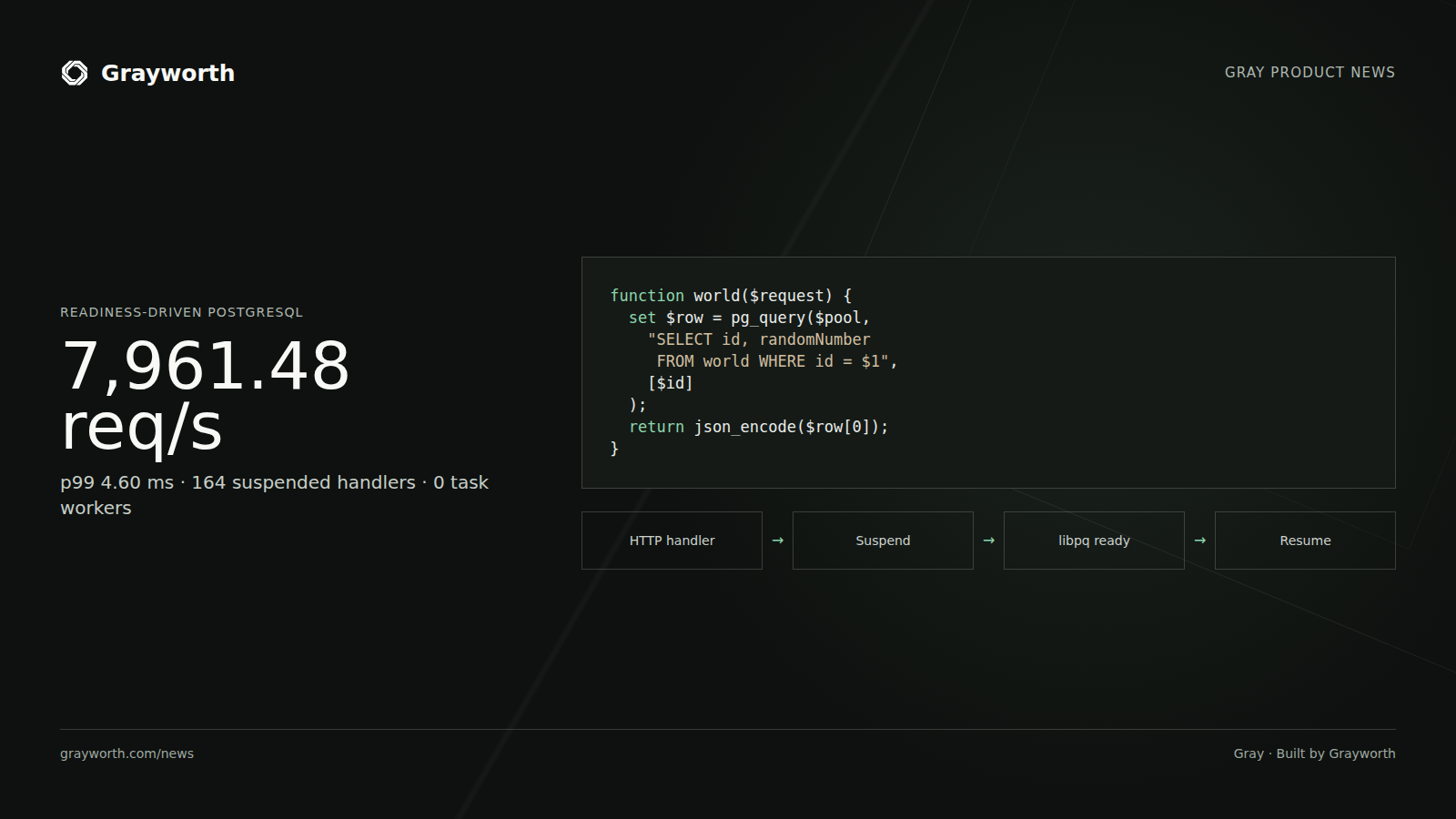
Direct-style database calls
How compiler-hidden continuations let Gray wait for PostgreSQL without blocking the network reactor.
Published 3 min read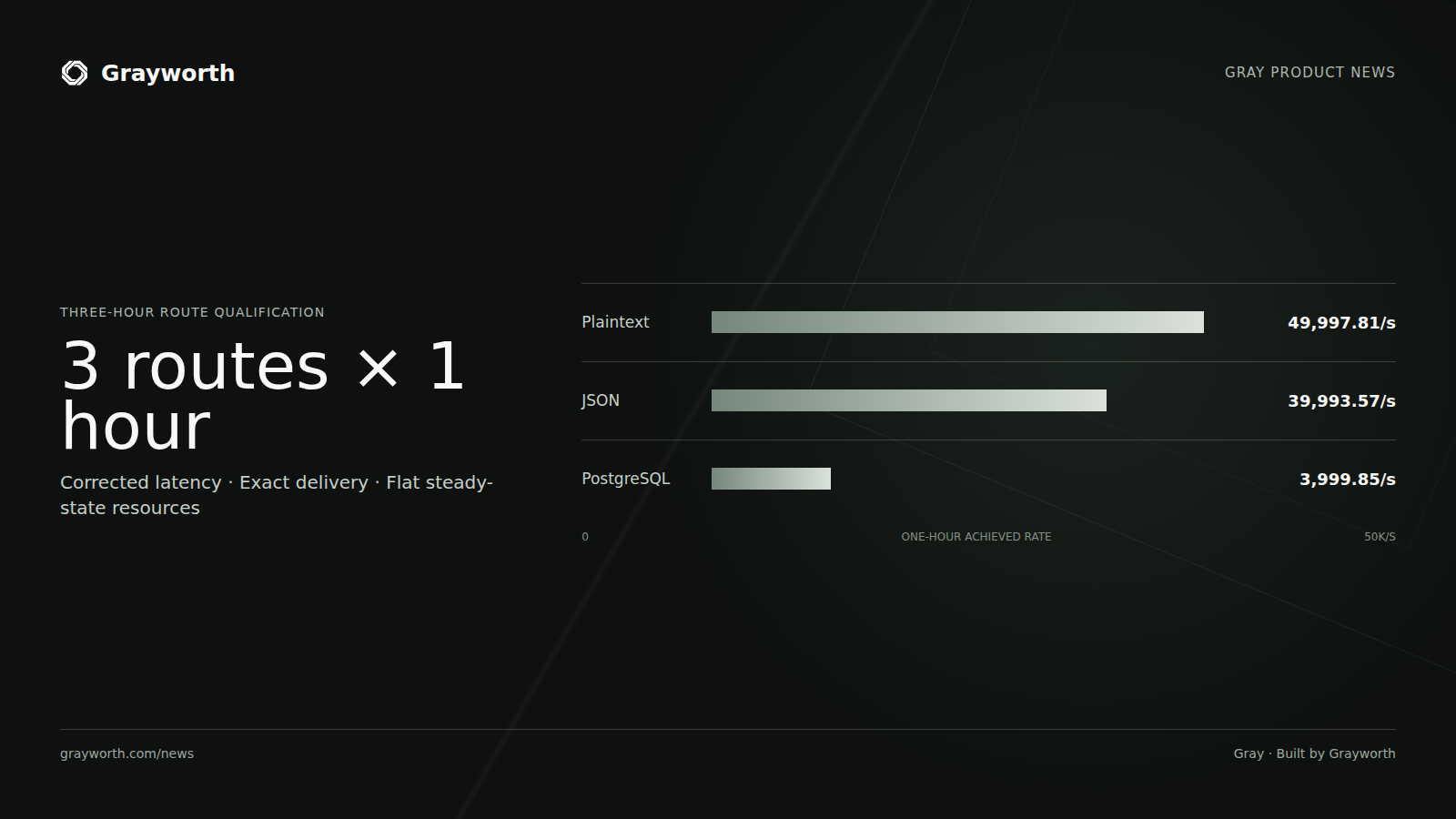
Measuring server performance
The HTTP qualification announcement, with methodology and limitations in the research archive.
Published 3 min read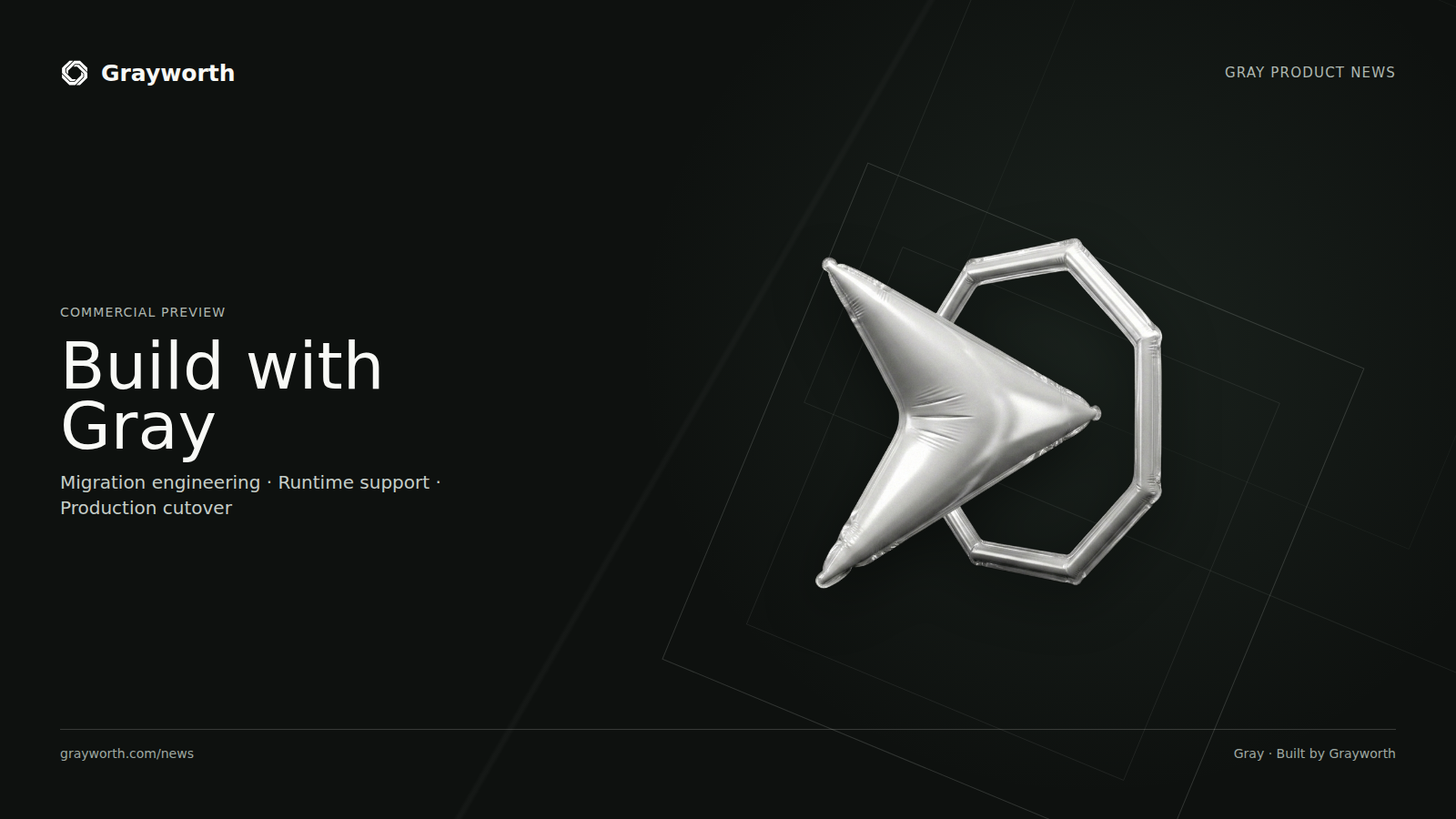
The Gray commercial preview
The language, runtime, and scope of Gray’s commercial preview.
Published 3 min read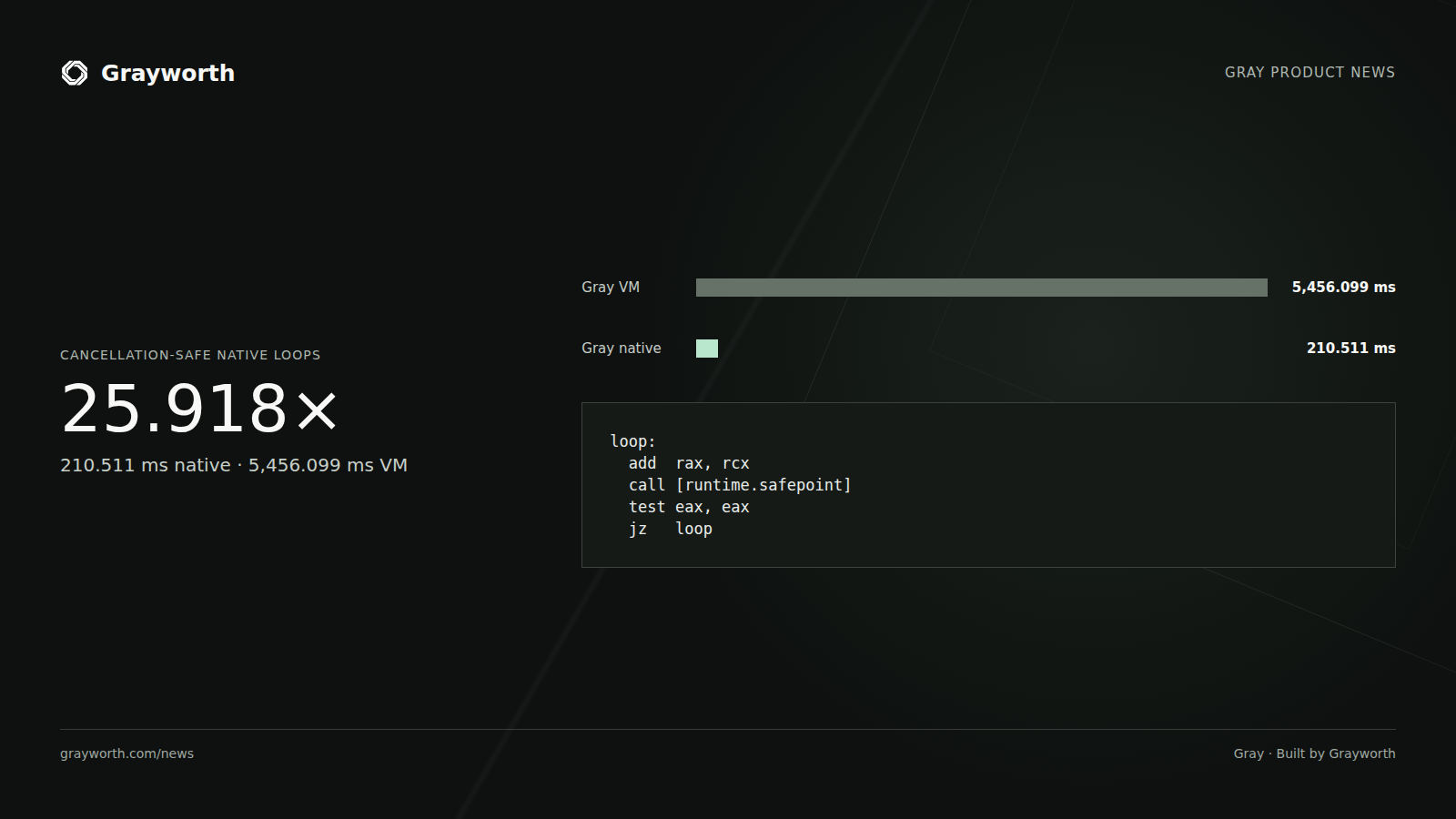
Native loops in Gray
The native-loop JIT announcement and the specific workload behind its reported result.
Published 3 min readTry a broader search.
Use fewer words, choose another topic, or remove the reading-time and format filters.